Cannot play DVD in an RDP or Citrix HDX session

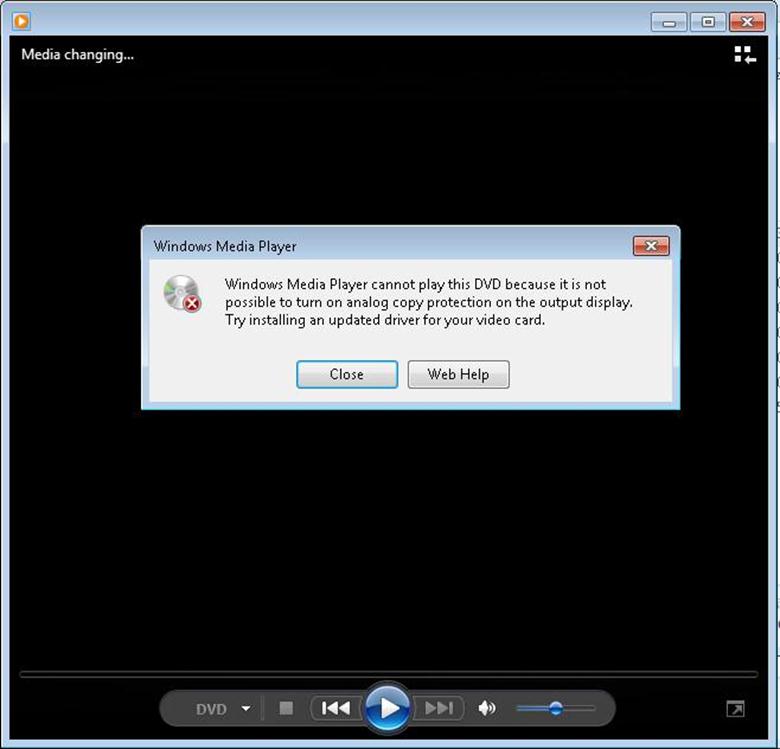
While you try to play a DVD in an RDP session or a Citrix HDX session, you get the following error:

The error message goes like this: Windows Media Player cannot play this DVD because it is not possible to turn on analog copy protection on the output display.

Synopsis

This is a limitation currently and is designed to be one. Such an error is usually because media such as DVD which is protected by DRM (Digital Rights Management) does not allow content to be redirected from the server (which is the Terminal services or Citrix machine) to the End point. This is more a legal or a regulation issue rather than technical issue.

Some more info

What is DRM?

Digital Right Management is a way copyright owners of the digital content exercise their muscle to prevent using their content in a way they have not authorized. Read more on Wikipedia.

In this context, DVD manufacturer would like to sell more copies of the DVD. They would like everyone who wants to watch a DVD to buy a copy. But when you play a DVD inside a RDS or a Citrix server, only one copy of the DVD is needed and all the end users can view the content through RDP or HDX without buying more copies. This is supposedly copyright violation and loss of business for them. Hence they don’t allow you to do so.

I tried editing registry settings in the machine to bypass the check but I have not been able to do so. So I guess this is a designed limitation.

More info can be found here and here.

Simple test to confirm this outside RDP or Citrix HDX

  1. Insert a DRM protected DVD in your laptop drive .
  2. Share your laptop drive and give permissions for anyone to access this DVD drive.

  3. On another machine on the network, access this shared drive. (Type \\<IPAddress-of-the-latop>\E$ where E is the assigned share name)
  4. Try to now play the DVD. If there is an error, it means that it cannot be played remotely. This means that it cannot be played in an RDP or a HDX session as well.

Thanks,

Arun.P.C